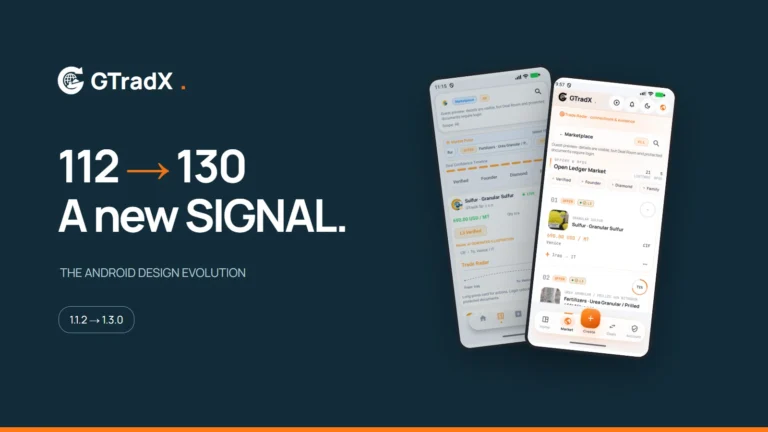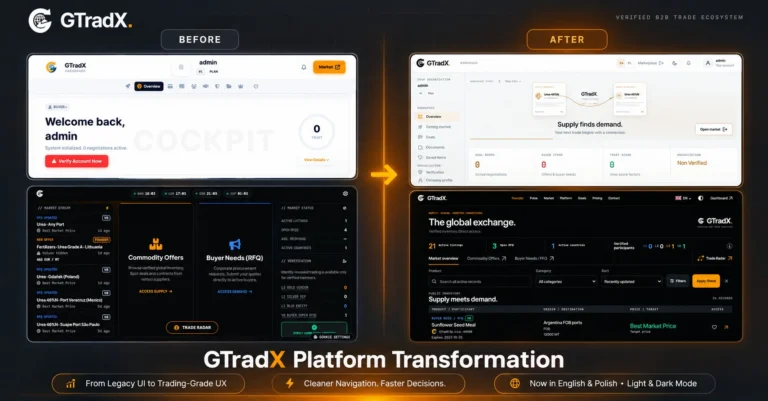

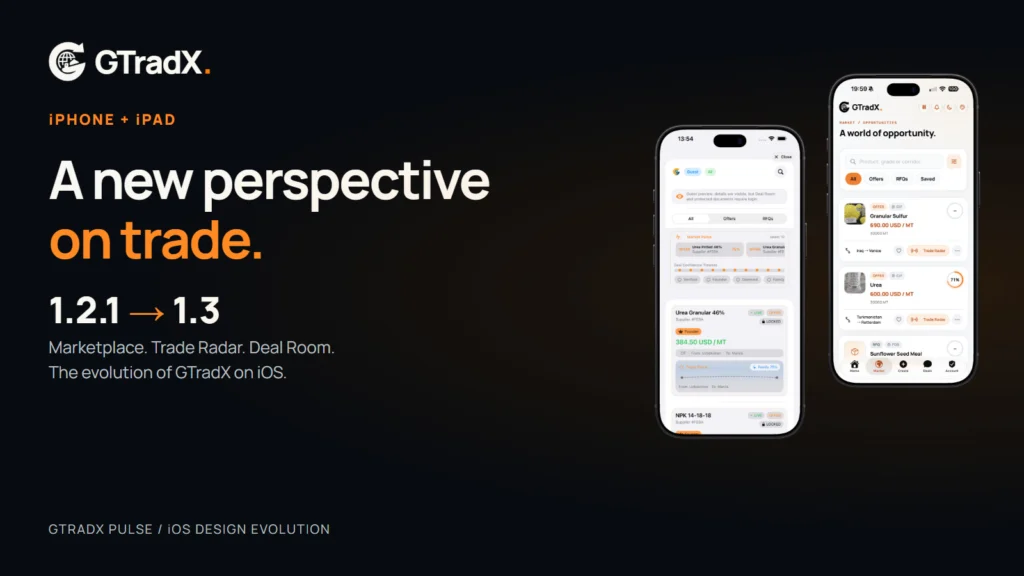

The next step for GTradX on iOS
GTradX brings company verification, marketplace offers and RFQs, Trade Radar, negotiations, contracts and documents into one B2B commodity trading ecosystem. Version 1.3 gives that ecosystem a clearer mobile presentation.
Commodity trading brings together many kinds of information: a product specification, a quantity, a delivery term, a destination, a trading partner and a conversation. A useful mobile workspace helps people read that information and decide what to do next.
With GTradX iOS 1.3, we have reworked the presentation of that workspace across iPhone and iPad. Version 1.2.1 already brought offers, RFQs, documents and deal conversations to mobile. The new version gives those tools a clearer hierarchy and a more recognisable visual identity.
The palette combines warm light surfaces, dark graphite and the GTradX orange. Cards, fields and actions follow a more consistent direction. The result is designed to make the interface easier to read while keeping the platform’s trading workflows in view.
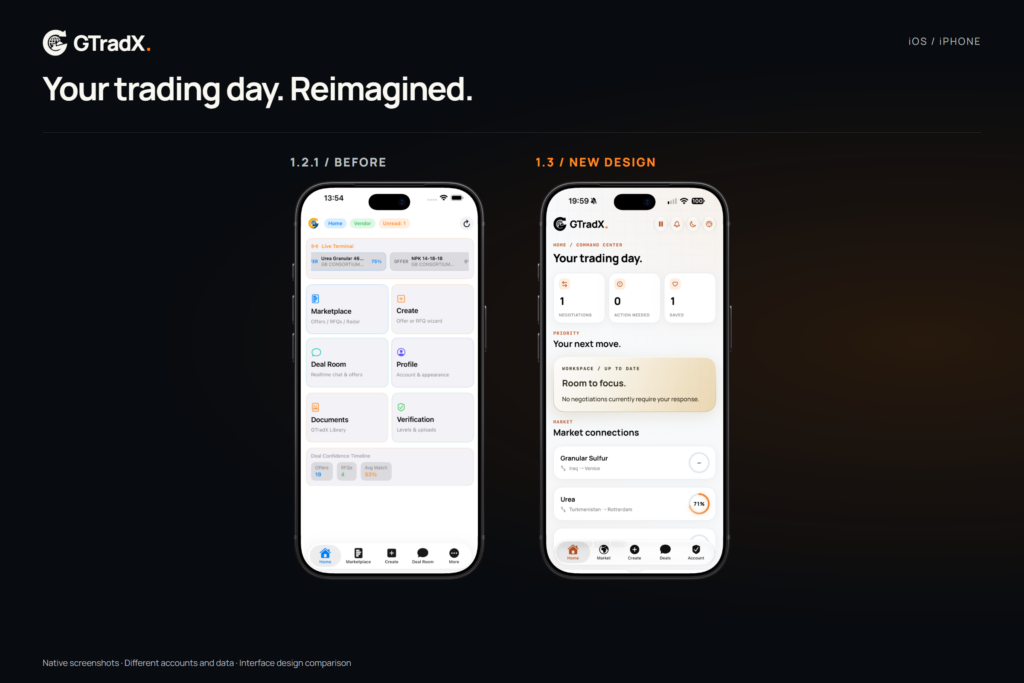
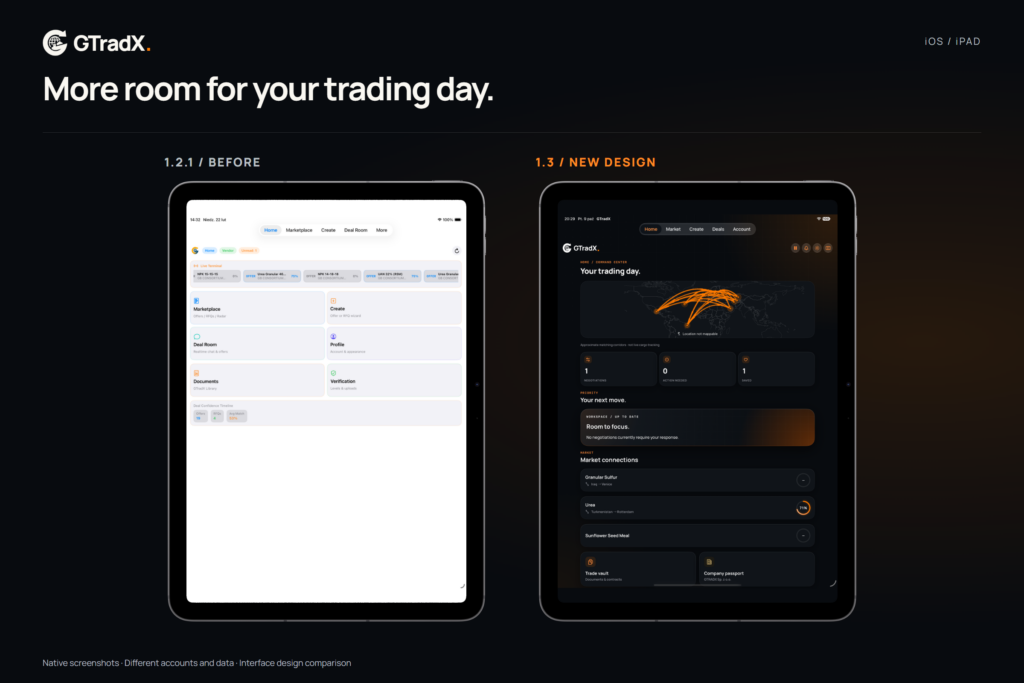
Home: find your next action
The earlier Home presented a grid of entry points. The new workspace combines an operational overview with direct access to the areas that matter during a trading day. Its geographic presentation adds context without turning every action into a separate navigation decision.
Marketplace: read the offer before opening the conversation
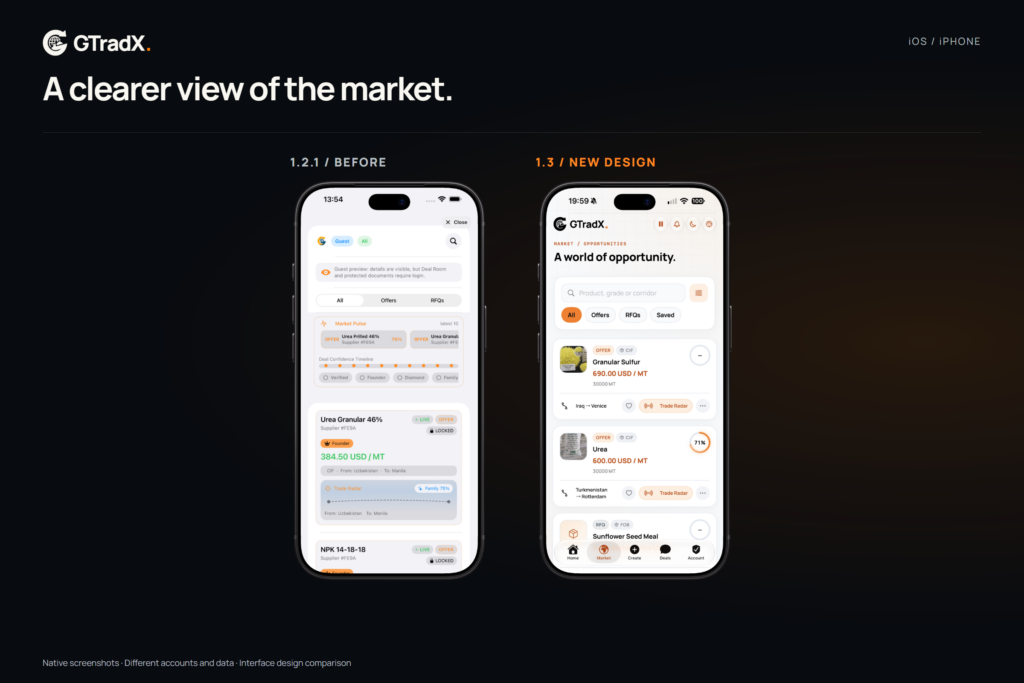
The marketplace gives product imagery, price, quantity and trade terms clearer places in the layout. Offers and RFQs can be explored in a more coherent visual system, with saved listings available as part of the browsing workflow.
This change matters on a phone: the information needed to assess a listing should be easy to find before moving into negotiation. On iPad, the additional space supports a broader view of the same market.

Trade Radar: understand the match
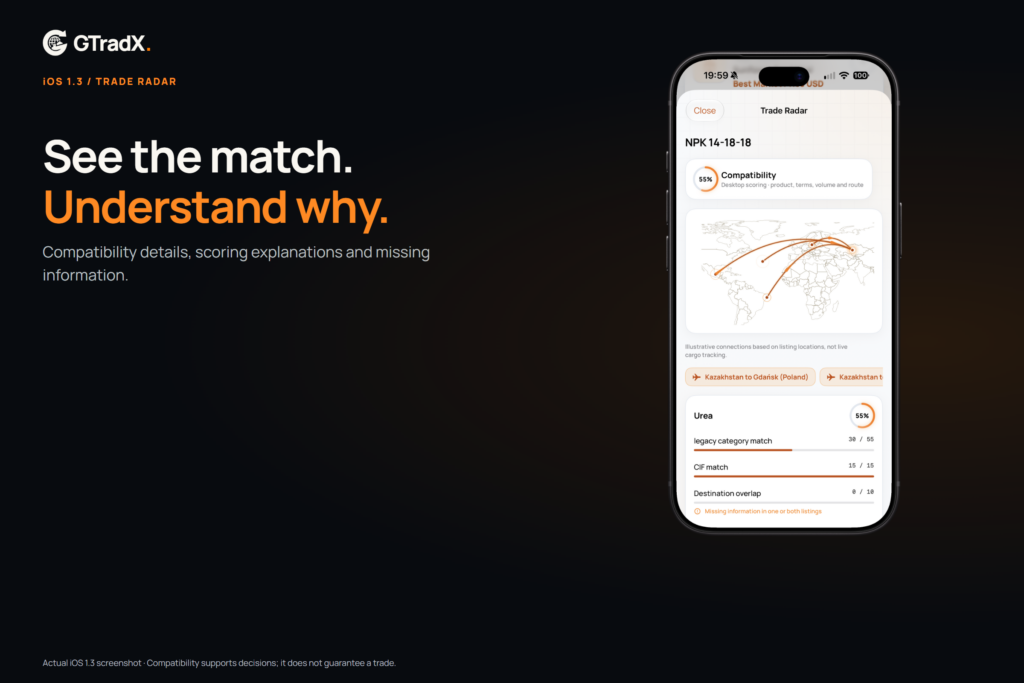
A percentage is a useful starting point, but it does not tell the whole story. The new Trade Radar presentation provides compatibility details, scoring explanations and visibility into missing information. Users can inspect the reasons behind a match instead of relying on a number alone.
Compatibility is a decision aid. It is not a guarantee of counterparty reliability, transport feasibility or a completed transaction. Geographic corridors are illustrative context rather than live cargo tracking.
Offer and RFQ creation: one step at a time
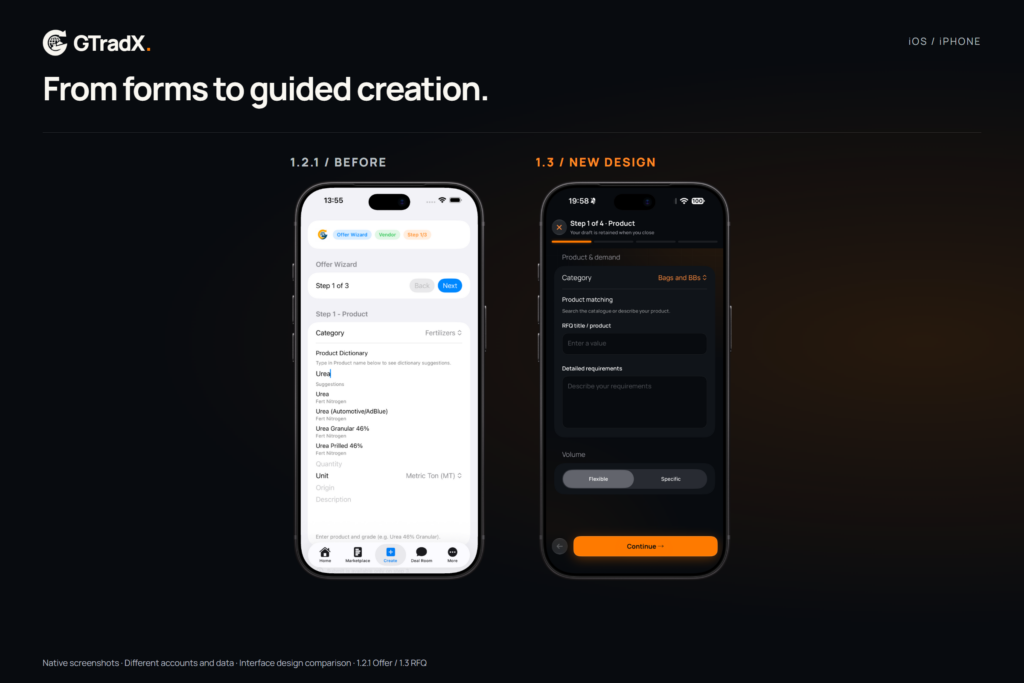
The redesigned creation workflow separates product requirements, route and commercial information into guided steps. More legible fields help users see what they are entering and review the information before submission.
The comparison below shows an earlier Offer form alongside the new RFQ creator. These are different workflows; the comparison illustrates the evolution of the form design rather than a field-for-field replacement.
Deal Room: keep the conversation and its context together
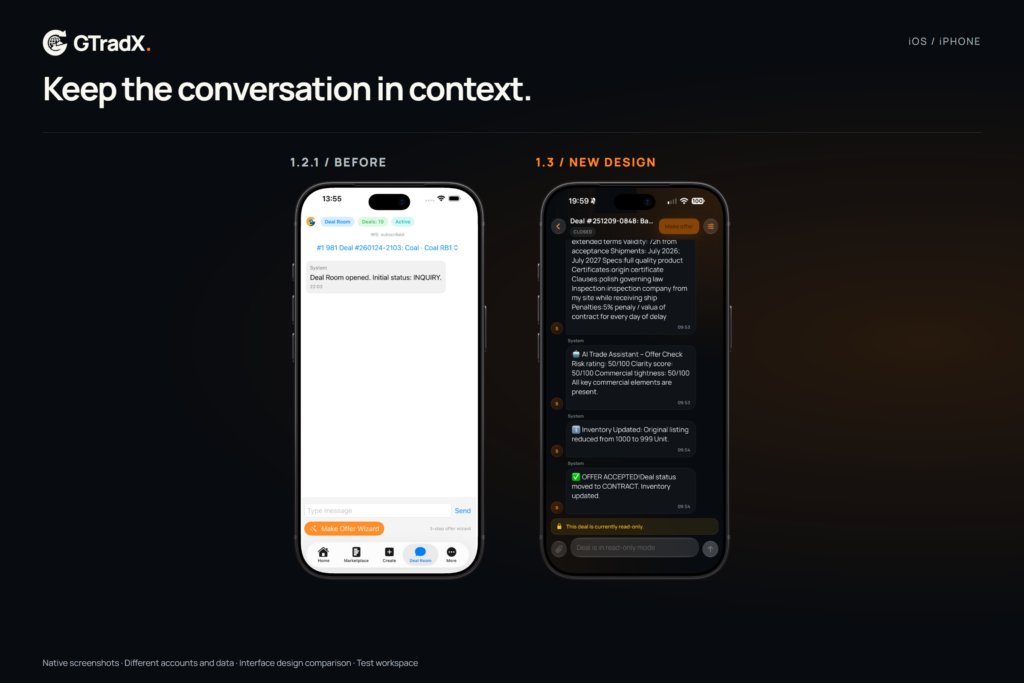
The updated deal experience brings conversations, proposals and deal history into a more structured presentation. The move from a basic room to contextual history makes it easier to follow what has happened and identify the current stage of a conversation.
Release work also addressed room state, attachment handling and message reconciliation. These changes support the negotiation experience; the final outcome still depends on the counterparties and the platform’s actual deal state.
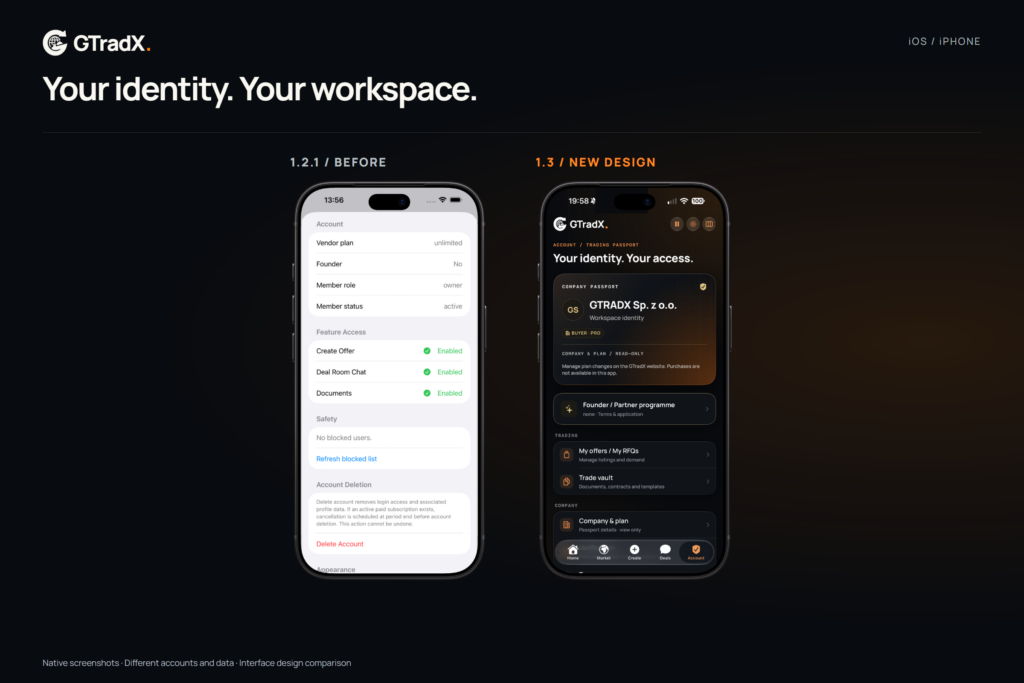
Account and Trading Passport: a clearer workspace identity
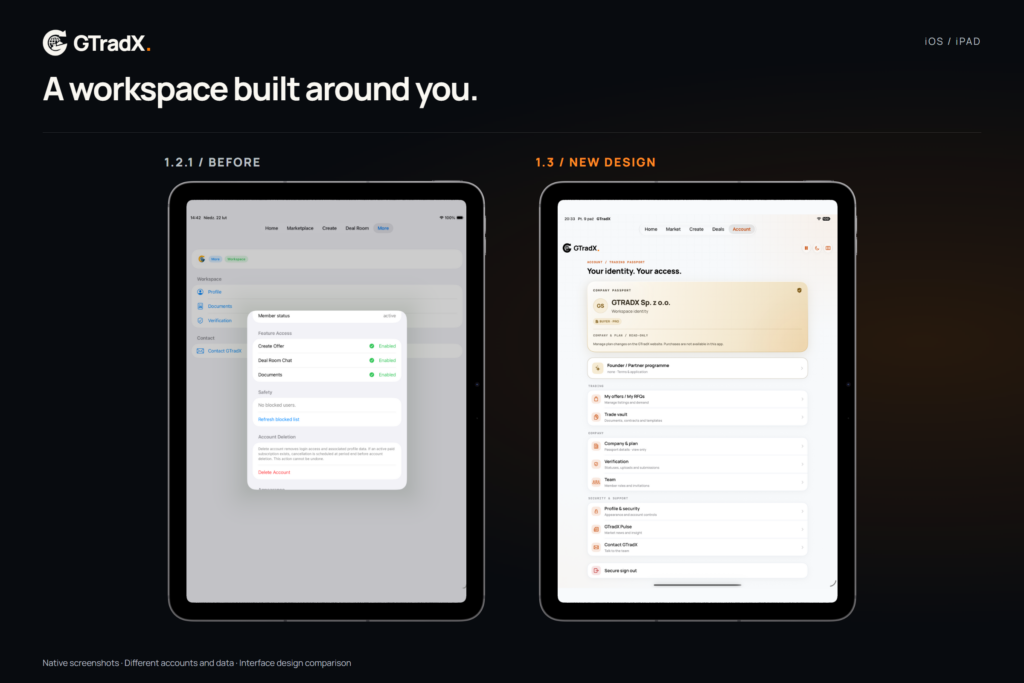
The account experience now gives company identity and membership information a dedicated Trading Passport presentation. Listings, documents, verification and workspace tools remain part of the account journey. The Passport presents account information; it does not replace verification or confer trading permissions by itself.
Built for both iPhone and iPad
The iPad experience deserves its own view. The screenshots show the new interface on an actual iPad layout, alongside the previous version. This is more than an enlarged phone image: it is a look at how the workspace uses the available tablet space.
Release status
GTradX iOS 1.3 is officially available to download on the App Store. Update the app on your iPhone or iPad to explore the redesigned workspace. Explore the GTradX ecosystem at https://gtradx.com/ and follow GTradX Pulse for more product news.